ผมติดตั้ง CentOS linux 5.5 ใน parallels virtual machine แล้วหาทางส่งไฟล์ระหว่างกัน วิธีการหนึ่งที่สามารถทำได้คือผ่าน samba ซึ่งมีขั้นตอนดังนี้ครับ
- ติดตั้ง samba ใน linux ด้วยคำสั่ง
#yum install samba - แก้ไขไฟล์ /etc/samba/smb.conf ให้มีเนื้อหาในส่วนของ [homes] เป็น
[homes]
comment = Home Directories
browseable = yes
writeable = yes
read only = yes
- สั่งให้ samba ทำงานด้วยคำสั่ง
#/etc/init.d/smb start - กำหนด password ให้ user โดย user นั้นจะต้องมีจริงในระบบ (local user)
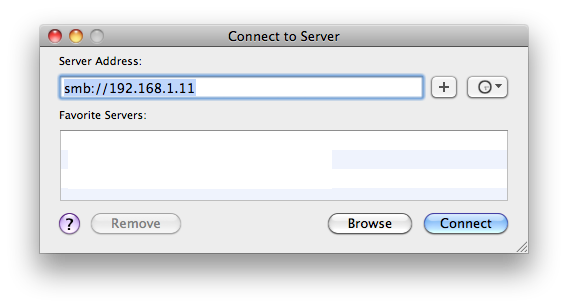
# smbpasswd -a username - ที่เครื่อง mac เปิด Finder เลือก Go และ Connect to Server
- ป้อน smb://หมายเลข ip ของ linux เช่น
smb://192.168.1.11